Desktop AppComplete — Actively Adding Features2026
PrintPilot Studio Logo

PrintPilot Studio

Native Windows Desktop Application for Bluetooth Thermal Printers

Role

Sole Developer

Year

2026

Platform

Windows OS

Stack

Tauri · Rust · React

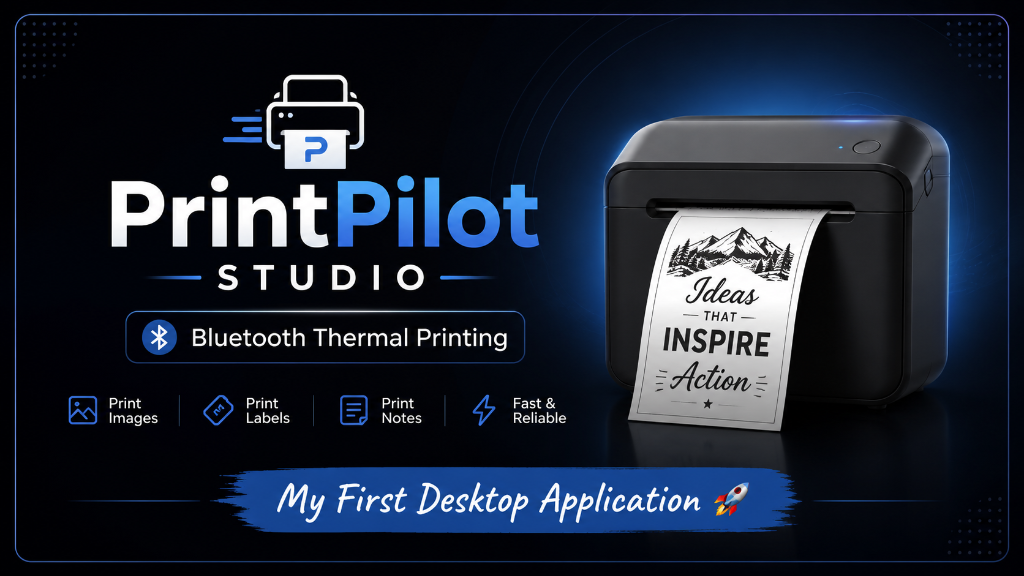
PrintPilot Studio Overview
Overview

A Desktop Solution That Didn't Exist

PrintPilot Studio is a lightweight Windows desktop application that enables users to print images, to-do lists, stickers, and labels directly to Bluetooth thermal printers. It combines a modern user interface with optimized thermal image processing for fast, crisp printing.

Windows OS

Target Platform

Tauri v2

Desktop Framework

< 5 MB

App Bundle Size

BLE 5.0

Wireless Connectivity

ESC/POS

Thermal Protocol

Active

Development Status

The Story

It Started with a Google Cloud Prize

The idea for PrintPilot Studio started when I won a Bluetooth thermal printer through a Google Cloud Skills Boost event.

After setting it up, I wanted to print my to-do lists, stickers, and labels directly from my Windows PC. However, I quickly discovered that most Bluetooth thermal printer applications were designed for Android devices, and the available Windows solutions were either outdated or lacked the features I wanted.

Instead of depending on mobile applications, I decided to build my own desktop solution. What started as a personal project soon became one of the biggest learning experiences of my software development journey.
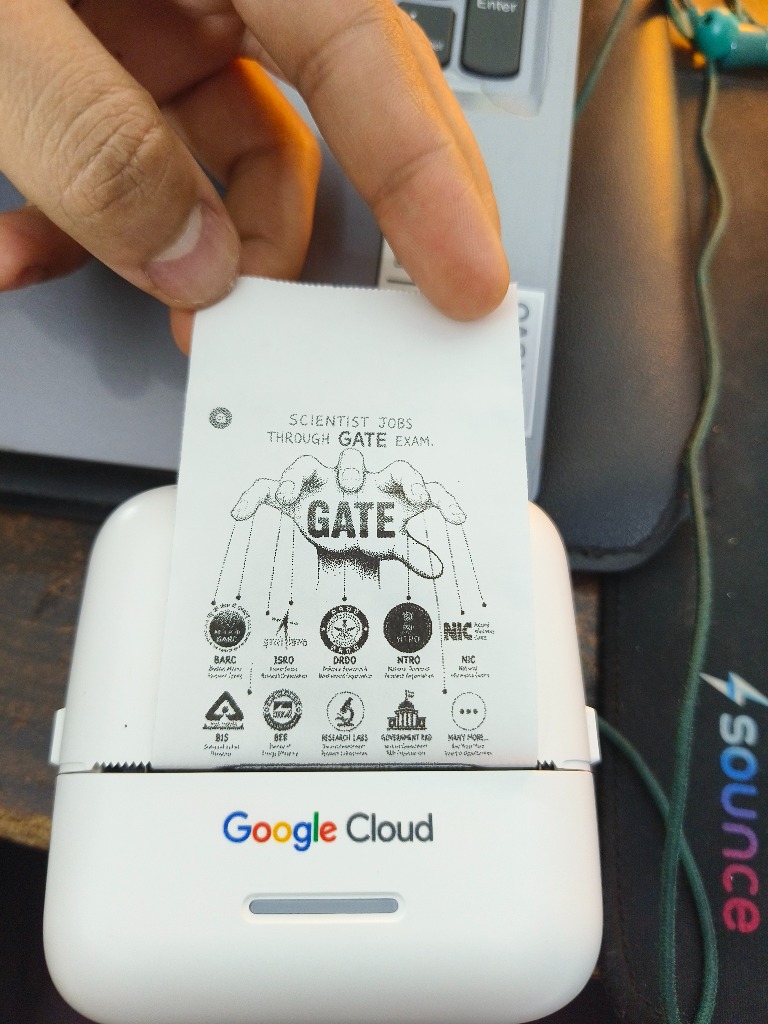
Google Cloud Thermal Printer in action

First Successful Print Result: GATE Exam Scientist Jobs sticker output live from the Google Cloud Bluetooth Thermal Printer
Problem Statement

Windows Users Were Left Behind

Most Bluetooth thermal printers rely heavily on Android applications, leaving Windows PC users with very limited and frustrating options.

📱

Android-Only Ecosystem

Almost all thermal printer apps target Android exclusively, leaving PC desktop users with zero official software.

🖨️

No Direct PC Printing

Lack of native desktop software for connecting and printing directly from a Windows PC.

📉

Poor Print Quality

Existing workarounds produced blurry, washed-out thermal prints due to missing dithering algorithms.

🔧

Complex Hardware Setup

Existing tools required manual driver installs, port hacks, and command-line scripts.

Solution

A Complete Desktop Printing Workflow

PrintPilot Studio provides a complete desktop printing workflow. Users can scan nearby Bluetooth printers, connect with one click, preview images, optimize them for thermal printing, and print directly from a Windows PC.

1
Scan & discover nearby Bluetooth thermal printers
2
Connect with a single click
3
Preview images, stickers & labels before printing
4
Optimize thermal print quality via Floyd–Steinberg dithering
5
Generate native ESC/POS command payloads
6
Direct hardware transmission via Bluetooth LE (btleplug)
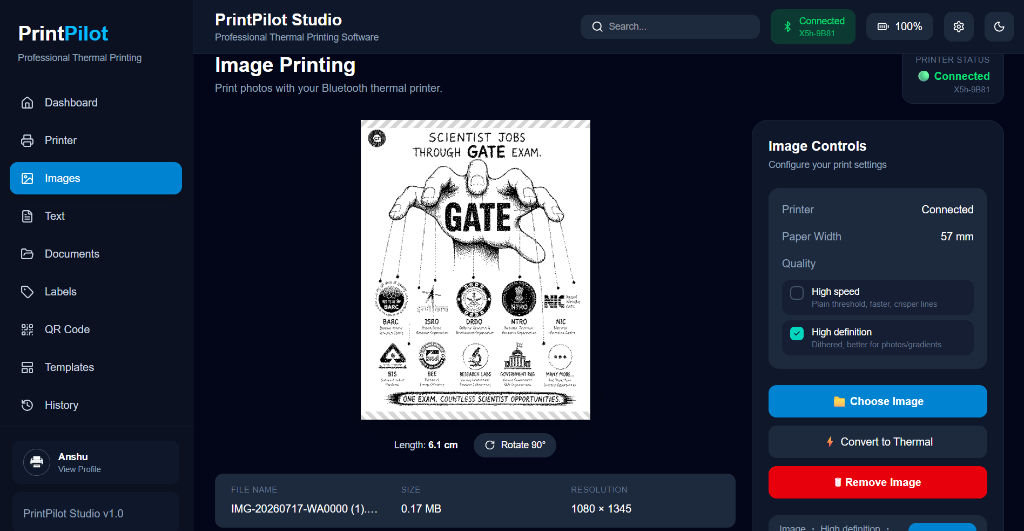
PrintPilot Studio Image Printing UI
Application UI

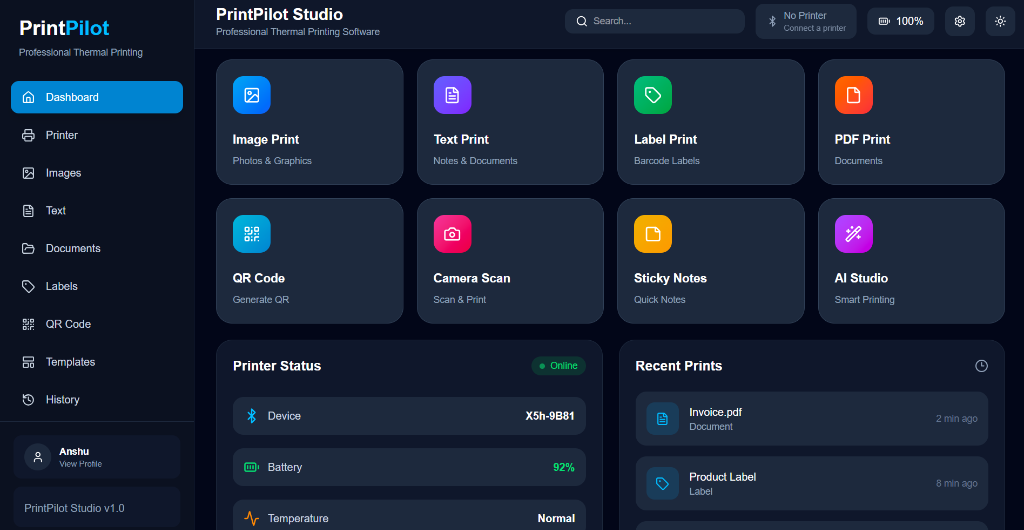
Desktop Interface Gallery

Native Windows desktop UI and live telemetry.

Main Dashboard

Live feature grid and system telemetry.

Main Dashboard
Tech Stack

Built for Performance & Precision

Frontend
ReactTypeScriptViteTailwind CSS
Backend
RustTauri v2
Bluetooth
BLEbtleplugWindows Bluetooth APIs
Printing
ESC/POS CommandsRaster EncodingBit Packing
Image Processing
OpenCV.jsGrayscale ConversionFloyd–Steinberg DitheringThermal Optimization
Key Features

Everything You Need to Print

🔵

Bluetooth Discovery

Scan and detect nearby Bluetooth thermal printers automatically.

One-Click Connect

Connect to any paired printer with a single click with no setup required.

🖼️

Image Preview

Preview exactly what your print will look like before sending it.

🏷️

Stickers & Labels

Print images, stickers, labels, and to-do lists in any size.

🎨

Thermal Optimisation

Smart image processing for sharp, clear results on thermal paper.

💻

Native Windows

Lightweight Windows desktop app with a professional installer (.exe).

Architecture

How It All Connects

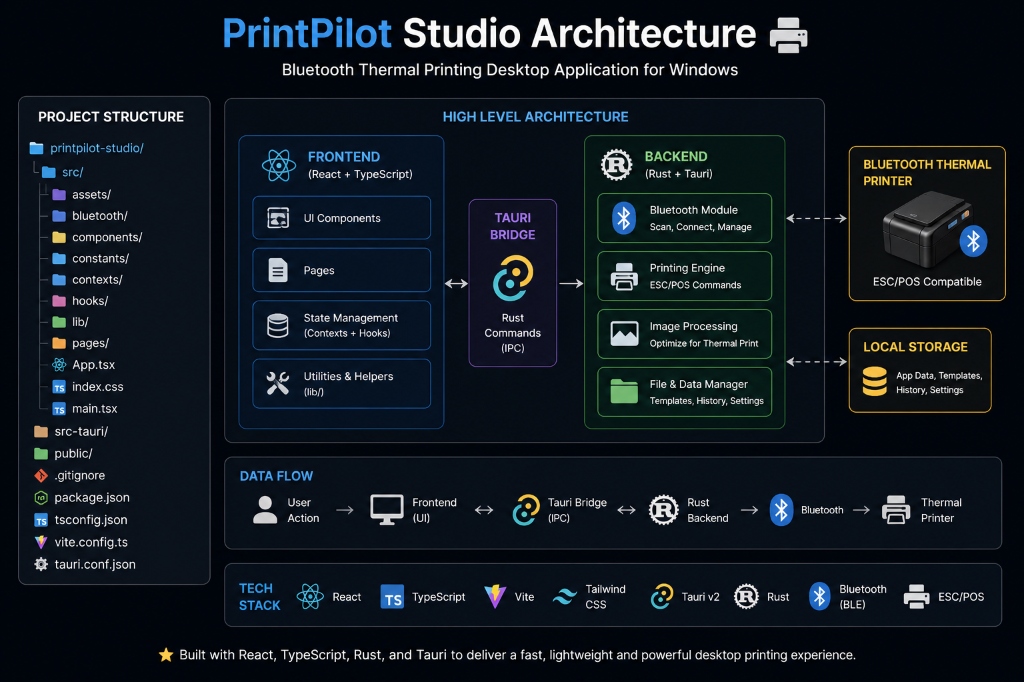
The application includes a custom printing pipeline that handles Bluetooth communication, image processing, ESC/POS command generation, and thermal printer communication.

React UI

Vite + TypeScript

Tauri Bridge

IPC Commands

Rust Core

Backend Logic

btleplug

BLE Layer

ESC/POS

Print Commands

Printer

Thermal Output

PrintPilot Studio High-Level Architecture & Data Flow
Learning & Development

From Idea to Installer

Phase 01

Winning the Printer

Won a Bluetooth thermal printer through a Google Cloud Skills Boost challenge. First challenge: it had no Windows app.

Phase 02

Research & Exploration

Spent days exploring Bluetooth protocols, ESC/POS printing standards, and Tauri + Rust for desktop development. All new territory.

Phase 03

Building the BLE Layer

Implemented Bluetooth Low Energy communication using btleplug in Rust. Discovered the complexity of BLE service/characteristic discovery.

Phase 04

Image Processing Pipeline

Iterated on grayscale conversion, raster encoding, and Floyd–Steinberg dithering until prints looked clean and sharp.

Phase 05

First Successful Print (GATE Sticker)

After weeks of experimentation with Floyd–Steinberg dithering and ESC/POS bit packing, the first properly formatted print came out: the GATE Exam Scientist Jobs sticker printed live on the Google Cloud printer. One of the most satisfying moments of this project.

First Successful Print (GATE Sticker)
📸 Milestone Result: First Successful GATE Exam Dithered Print

Phase 06

Polish & Packaging

Refined the UI, built the Windows installer, and added preview functionality for a complete end-to-end experience.

"This project introduced me to several technologies I had never worked with before, including desktop application development with Tauri and Rust, Bluetooth Low Energy communication, ESC/POS printing, thermal image processing, and native Windows hardware interaction. Throughout development, I relied on official documentation, community resources, ChatGPT, and Claude to explore approaches and debug challenging problems."

Challenges & Lessons

Hardware Software Engineering

One of the biggest challenges was understanding Bluetooth Low Energy communication while also achieving good thermal print quality.

Bluetooth Low Energy (BLE)

Understanding Bluetooth Low Energy communication, service/characteristic discovery, write characteristics, and payload chunks took significant debugging to ensure reliable transmission.

Thermal Image Optimization

Achieving consistent thermal print quality required extensive experimentation with image scaling, grayscale conversion, raster encoding, and Floyd–Steinberg dithering algorithms.

Tauri & Rust Integration

Building a cross-boundary architecture between Tauri v2 Rust commands and React state management provided deep hands-on experience with systems programming.

Key Lesson Learned

This project taught me that building software for hardware is much more than writing code. It requires patience, experimentation, debugging, and continuous learning.

Future Improvements

What's Coming Next

QR Code PrintingPlanned
Barcode PrintingPlanned
Text PrintingPlanned
Label TemplatesPlanned
Faster Image ProcessingPlanned
More Printer CompatibilityPlanned
Cross-Platform SupportPlanned

Try PrintPilot Studio

Download the Windows installer or explore the full open-source code on GitHub.